Moto G6: 7 Exciting Features You Need to Know Right Now
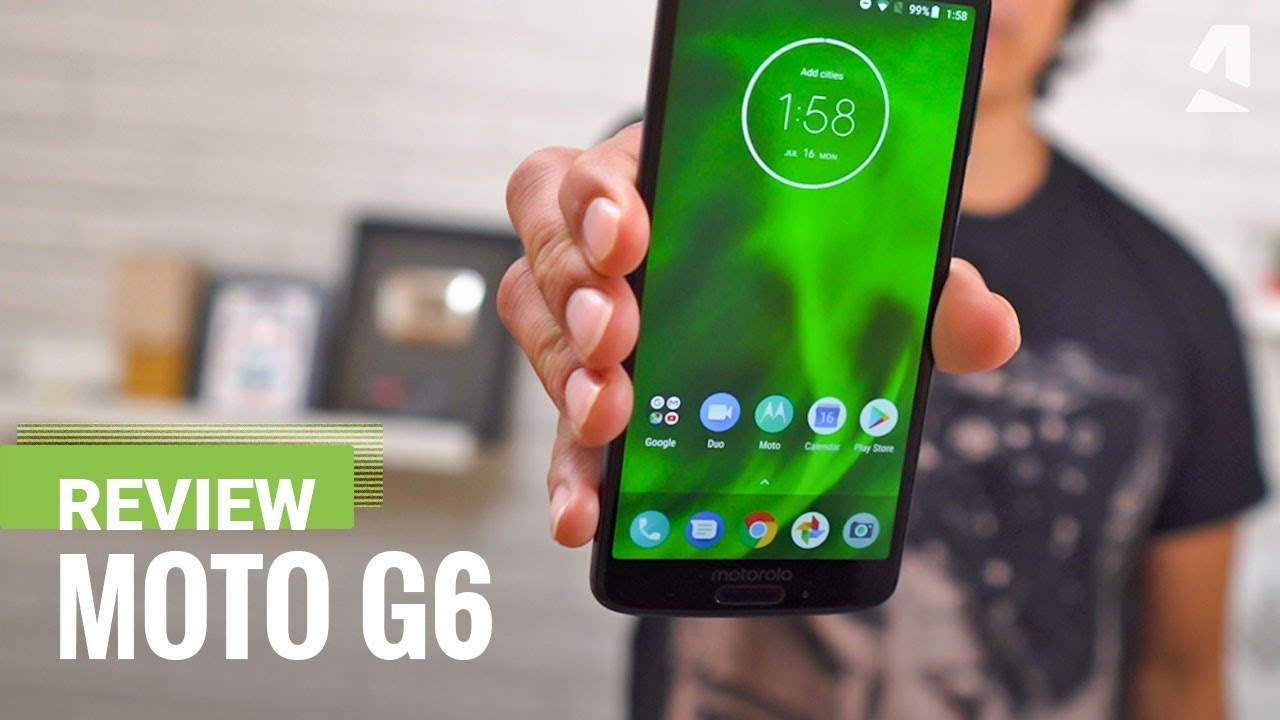
All About the Moto G6: Features and Specs
The Moto G6 is a smartphone that strikes a perfect balance between performance and affordability. Released in 2018, this device quickly captured the attention of consumers with its sleek design and robust features. With a vibrant display, solid camera performance, and long-lasting battery life, the Moto G6 aims to deliver an excellent user experience. 📱
Design and Display
The Moto G6 sports a 5.7-inch Full HD+ Max Vision display that offers a stunning resolution of 1080 x 2160 pixels. The striking 18:9 aspect ratio enhances the viewing experience, making it perfect for watching videos or playing games. With its glass back and polished metal frame, the Moto G6 truly stands out in terms of aesthetics. Users can enjoy a device that not only performs well but also looks good in their hands.
Performance and Software
Powered by the Qualcomm Snapdragon 450 processor, the Moto G6 promises smooth performance and efficient power management. Coupled with 3GB or 4GB RAM options, users can multitask seamlessly without slowing down. The device runs on Android 8.0 Oreo out of the box, providing users with access to the latest features and security updates. The clean, bloatware-free interface further enhances the overall user experience.
Camera Capabilities
One of the standout features of the Moto G6 is its impressive camera setup. Featuring a 12 MP + 5 MP dual camera system, the rear camera allows users to take stunning photos with a professional depth-of-field effect. The 8 MP front camera is perfect for selfies and video calling, making it ideal for social media enthusiasts.


Moreover, the camera comes with various modes like Night Mode and Panorama Mode, which add to the versatility of capturing fantastic images in different environments.
Battery Life
Battery life is crucial in today’s fast-paced environment, and the Moto G6 delivers with its 3000mAh battery. Users can easily get through a full day on a single charge, thanks to the efficient hardware and software optimizations. Additionally, the device supports fast charging, enabling users to recharge quickly and get back to using their phone without long interruptions.
Storage Options and Expandability
With an internal storage capacity ranging from 32 GB to 64 GB, the Moto G6 provides adequate space for apps, photos, and videos. Users can further enhance their storage by utilizing the microSD card slot, allowing for expansion up to 256 GB. This flexibility makes the Moto G6 suitable for users with extensive media libraries or those who frequently download content.
Connectivity Features
Connectivity options on the Moto G6 are robust, featuring Bluetooth 4.2, Wi-Fi, NFC, and USB Type-C. Furthermore, it includes a fingerprint sensor located on the front of the device, providing users with a quick and secure way to unlock their phone. With support for dual SIM functionality, users can manage personal and professional contacts efficiently.
How to Enhance Your Experience with Moto G6
To maximize the potential of your Moto G6, consider integrating complementary tools and services that enhance its utility. Here are some suggestions:
1. Google Drive for File Management
- Access your files anytime, anywhere with cloud storage.
- Collaborate with others on shared documents and projects.
- Backup important photos and videos from your Moto G6 securely.
- Integrate seamlessly with other Google services for extended functionality.
Using Google Drive with your Moto G6 allows for efficient file management; a fantastic way to keep your data organized.
2. LastPass for Password Management
- Safe storage of numerous passwords without the risk of forgetting them.
- Autofill login credentials on apps and websites.
- Security alerts for password breaches to enhance security.
- Access your passwords from all devices, not just your Moto G6.
Boost your security by using LastPass. This password manager helps maintain online security, especially important when accessing sensitive information via your Moto G6.
3. Spotify for Music Streaming
Enjoy your favorite tunes directly from your Moto G6 with the Spotify app. Create playlists, discover new music, and listen on the go. Its offline mode allows users to save data while still enjoying their music library.
4. Google Photos for Backup
Utilize Google Photos not only for backing up pictures taken on your Moto G6 but also for organizing them intelligently. It features free cloud storage options and proprietary editing tools to enhance your photos.
5. Grammarly for Writing Assistance
Enhance your texting and emailing experience on your Moto G6 by using Grammarly. It assists with grammar checks, spell corrections, and sentence structure improvements, ensuring your communication is always polished.
6. Microsoft Office for Productivity
Install the Microsoft Office suite on your Moto G6 to manage documents efficiently. Whether you’re writing reports or creating presentations, this tool keeps you productive on the go.
7. Evernote for Note-Taking
The Evernote app is excellent for jotting down ideas and managing to-do lists directly from your Moto G6. Its organizational features help you stay focused and on top of your tasks.
8. WPS Office for Document Management
- Comprehensive document editing capabilities similar to desktop applications.
- Supports a wide range of file formats, including PDF and Microsoft Word.
- Built-in cloud support for easier file access and management.
- Enhances productivity when working on your Moto G6, particularly for business users.
Dive into effortless productivity with WPS Office on your Moto G6 to maximize your document management tasks.
9. Zoom for Video Conferencing
Stay connected with friends and coworkers through Zoom. With high-quality video calls on your Moto G6, remote working and virtual meet-ups become seamless and enjoyable.
10. Fitbit for Health Monitoring
Integrating your Moto G6 with a Fitbit device allows you to track your fitness goals directly through the app. Monitor your heart rate, steps, and sleep quality effectively.
Final Thoughts on the Moto G6
The Moto G6 offers a fantastic range of features suitable for everyday use. Its powerful performance, captivating display, and strong camera capabilities make it an attractive option for users. When paired with complementary tools such as Google Drive and LastPass, users can significantly enhance their overall experience. Whether you’re a casual user or someone who relies heavily on mobile technology, the Moto G6 has something to offer everyone.
By understanding its capabilities and leveraging additional services, you can fully enjoy the benefits this smartphone has to provide. Don’t miss out on making the most of your Moto G6; the potential to optimize your mobile experience is just a few apps away!
Design and Build Quality of the Moto G6
When it comes to smartphones, design and build quality are **paramount**, and the Moto G6 excels in both areas. Its sleek and modern aesthetic, coupled with a durable construction, makes it a standout choice in the budget smartphone market. The device features a glass back and a metal frame, giving it a premium feel without the premium price tag. 📱
Ergonomics and User Experience
One of the key advantages of the Moto G6 is its ergonomic design. The rounded edges and well-placed buttons make it easy to hold and operate with one hand. This is especially beneficial for users who are constantly on the go. Compared to other models like the Samsung Galaxy S10, the G6 offers a more comfortable grip, making it less likely to slip out of your hands while multitasking.
Display Features of the Moto G6
The Moto G6 features a **5.7-inch Full HD+ display** with a resolution of 2160 x 1080 pixels, which provides vibrant colors and sharp visuals. This large display makes viewing photos, watching movies, or gaming an enjoyable experience.
Performance Comparison with Competitors
Unlike many competitors in the same price range, the Moto G6 manages to deliver an outstanding visual experience. For example, while the OnePlus 6T offers a similar size display, users often report that the G6 provides better visibility in direct sunlight, thanks to its high brightness levels.
Camera Capabilities
The Moto G6 comes equipped with a **12 MP + 5 MP dual-camera system**, designed to capture stunning photos in a variety of lighting conditions. The dual-camera setup not only allows for aesthetic blur effects but also enhances depth perception in images. This feature stands out when compared to similar budget devices like the Nokia 6.1, which typically offers a less sophisticated camera system.
Best Practices for Maximizing Camera Use
To get the most out of the Moto G6 camera, consider using it in conjunction with editing apps like Adobe Lightroom. These applications allow you to enhance your photos post-capture, taking your photography skills to the next level:
- Professional-grade presets for various styles.
- Easy adjustment of exposure, contrast, and color balance.
- Ability to remove unwanted distractions with precision.
- Efficient sharing options directly from the app.
Performance and Battery Life
The Moto G6 is powered by a **Qualcomm Snapdragon 450 processor** and features 3 GB or 4 GB of RAM, depending on the model. This combination ensures smooth performance for everyday tasks and multitasking. Additionally, the device houses a **3,000 mAh battery**, offering all-day usage without significant concern for power outages.
Comparative Performance Analysis
In comparison to devices like the iPhone SE, which has a more powerful processor, the Moto G6 still performs admirably in browsing and streaming applications. Many users find the G6 capable of handling tasks efficiently, making it an excellent choice for budget-conscious consumers.
Storage Options and Expandability
Storage options for the Moto G6 start at **32 GB**, with an opportunity to expand via a microSD card slot allowing up to an additional **128 GB** of storage. This is a vital feature for users who take numerous photos or download apps extensively.
Enhancing Storage Solutions
To maximize the Moto G6’s storage options, consider using cloud storage solutions like Google Drive. This way, you can free up device memory while maintaining access to your files from anywhere:
- Automatic backup of photos and videos.
- Share files easily with others.
- Access documents across different devices.
- Collaborate in real-time with others.
Software and User Interface
The Moto G6 runs on **Android 8.0 Oreo**, with a near-stock experience that many users appreciate. This clean interface allows for easy navigation and customization without bloatware detracting from the user experience. The smooth updates also ensure longevity in relevance compared to devices running heavily customized operating systems.
Interoperability with Other Tools
For ideal productivity, consider using the Moto G6 in tandem with productivity tools like Slack for communication or Trello for task management. These applications can help streamline workflow without overwhelming your device:
- Real-time collaboration for projects.
- Organized channels for different topics or teams.
- Visual task management to track progress.
- Integration with calendars and reminders.
Security Features
When evaluating smartphones, security is a top concern, and Moto G6 does not disappoint. It incorporates a **fingerprint sensor** that offers quick access and privacy. This feature stands out when contrasted with devices like the Huawei P20, where the fingerprint functionality may not be as responsive.
Optimizing Security with Complementary Tools
For enhanced security alongside the Moto G6, think about employing a password manager like LastPass. It provides an effective way to maintain strong passwords without compromising on convenience:
- Secure storage for all passwords and sensitive data.
- Generation of strong passwords to improve account security.
- Auto-fill capabilities for seamless logins across apps and websites.
- Cross-platform compatibility for easy access from any device.
Conclusion
The Moto G6 brings together a compelling design, robust performance, and excellent camera capabilities—all wrapped in a user-friendly package. As we’ve explored throughout this article, leveraging complementary tools further maximizes the Moto G6’s potential. Whether it’s enhancing photos, managing tasks, or ensuring your data’s security, these tools combined with the Moto G6 undoubtedly offer a superior experience, perfect for today’s smartphone users.
Battery Life and Performance of Moto G6
The Moto G6 excels in battery performance, making it a popular choice among budget-conscious users who still demand efficiency. With a remarkable 3000 mAh battery capacity, users can easily delve into hours of browsing, video streaming, or gaming without constantly reaching for a charger. ⚡
Fast Charging Capabilities
One of the standout features is its TurboPower charging capability, which allows users to charge for just a few minutes for several hours of use. This means that even when you’re short on time, the Moto G6 can quickly replenish its battery, allowing you to stay connected without interruptions.
Performance Metrics
Equipped with a Qualcomm Snapdragon 450 processor and 3GB/4GB of RAM, the Moto G6 is designed to handle multitasking efficiently. Users report smooth operations when switching between apps, making it suitable for both casual use and more intensive applications.
Comparative Performance Analysis
Compared to other devices in a similar price range, like the Samsung Galaxy J6, the Moto G6 offers smoother performance, especially in gaming scenarios thanks to its optimized software and hardware integration. Unlike the Galaxy J6, users have noted that the Moto G6 maintains its speed and responsiveness even during heavy multitasking.
Camera Quality: Capturing Every Detail
The camera system is another compelling aspect of the Moto G6. With a dual-lens setup featuring a 12 MP primary lens and a 5 MP depth sensor, this smartphone is ready to capture stunning photos in various environments. Users appreciate the quality of images, particularly in low light conditions, where the Moto G6 shines through with its advanced imaging technology.
Key Features of the Camera
- Selective Focus: This feature allows users to blur the background and highlight a specific subject, giving photos a professional touch.
- Smart Camera Software: The camera’s interface is user-friendly, making it easy to access various shooting modes.
- Video Recording: Capable of 1080p video recording, the Moto G6 delivers quality video suitable for sharing on social media platforms.
- Gesture-Based Controls: Users can activate the camera quickly with a simple wrist twist motion, ensuring you never miss a moment.
Comparing Camera Quality
When evaluating camera performance, the Moto G6 competes strongly with devices like the Xiaomi Redmi Note 5. While both phones feature similar specifications, the Moto G6‘s image processing often results in sharper and more vibrant photos, particularly in challenging lighting conditions.
Display and Design: Visual Appeal
The Moto G6 features a 5.7-inch Full HD+ display, bringing vibrant colors and crystal-clear details. The screen is protected by Corning’s Gorilla Glass, ensuring it can withstand daily wear and tear. The design is sleek and modern, making it visually appealing and comfortable to hold.
Display Features
- Max Vision Display: Experience an immersive viewing experience with an 18:9 aspect ratio, great for watching videos.
- Color Accuracy: The AMOLED technology provides rich colors and better contrast ratios for improved visual experiences.
- Responsive Touch: The touch responsiveness is smooth, making navigation effortless for users.
- Sleek Design: The aesthetic touches of the Moto G6, including its glass back, make it stand out visually.
Design Comparisons
Compared to the Samsung Galaxy A6, the Moto G6 offers a more ergonomic design with its rounded edges, making it easier to grip and use one-handed. Additionally, the build quality generally feels more premium in hand, enhancing the overall user experience.
Software Experience: Stock Android with Added Features
Running on nearly stock Android, the Moto G6 provides a user-friendly interface that many users prefer for its simplicity and ease of use. The minimal bloatware allows for a fast and smooth experience, especially for those who prioritize functionality over excessive features.
Software Features
- Quick Actions: Users can launch essential apps with simple gestures, improving efficiency.
- Updated Security Features: Regular security updates ensure that user data is well-protected.
- Adaptive Battery: The smartphone learns how you use your phone and optimizes battery performance accordingly.
- Customization Options: Extensive customization features allow users to tailor their device according to their preferences.
Comparison with Other Software Experiences
Unlike the heavily customized software of devices like the Huawei P20 Lite, the Moto G6 keeps things simple, focusing on essential features that enhance usability without unnecessary clutter. Many users appreciate this approach, which contributes to its appeal in the mid-range market.
Complementary Tools to Enhance Your Moto G6 Experience
Your experience with the Moto G6 can be greatly improved by integrating complementary tools and applications. Here are some excellent suggestions on how to maximize the value of your Moto G6:
- Google Photos: Easily backup and organize your photos in the cloud, ensuring they are safe and accessible from any device. [Get Google Photos](https://photos.google.com)
- LastPass: Streamline password management, guarding your sensitive information securely. [Discover LastPass](https://www.lastpass.com)
- Spotify: Enjoy music anytime, anywhere by streaming seamlessly on your Moto G6. [Explore Spotify](https://www.spotify.com)
- Microsoft OneNote: Keep your notes organized and synchronized across devices to access them anywhere. [Try OneNote](https://www.onenote.com)
- Evernote: Capture your thoughts and ideas in a structured way, enhancing your productivity. [Learn about Evernote](https://evernote.com)
- Canva: Design stunning graphics for social media directly from your Moto G6. [Check Canva out](https://www.canva.com)
- Tasker: Automate daily tasks on your Moto G6 for improved efficiency. [Get Tasker](https://tasker.joaoapps.com)
- Duolingo: Enhance your language skills conveniently during your commute using your Moto G6. [Learn with Duolingo](https://www.duolingo.com)
- Fitbit: Integrate your Moto G6 with a fitness tracker to monitor and improve your health journey. [Discover Fitbit](https://www.fitbit.com)
- Telegram: Utilize this secure messaging platform with the Moto G6 for private communications. [Explore Telegram](https://telegram.org)
In-Depth Look at LastPass and Duolingo
To emphasize just how these tools enhance your Moto G6 experience:
LastPass
- 🔒 Robust Security: Offers strong encryption for protecting your passwords and sensitive information.
- 🔑 Auto-fill Capabilities: Simplifies logging into apps and websites without remembering all your credentials.
- 📱 Cross-Platform Sync: Access your passwords on your Moto G6 and other devices seamlessly.
- 📅 Secure Sharing: Share passwords with trusted contacts securely without exposing sensitive information.
Duolingo
- 🌍 Learning on the Go: Access language courses directly through your Moto G6, making learning convenient.
- 📈 Progress Tracking: Monitor your learning journey and stay motivated with gamified lessons.
- 💬 Community Interaction: Engage with a large user base for tips and advice in language learning.
- 🆓 Free & Flexible: Duolingo offers free content, allowing anyone to start learning languages without commitment.
Conclusion: The Comprehensive Value of Moto G6
As we explore the features and accessories related to the Moto G6, it’s clear that this smartphone provides a well-rounded experience. Its powerful battery life, impressive camera capabilities, and user-friendly software make it a compelling option in its price range. By integrating complementary tools, users can unlock even more potential from this device, enhancing their productivity, creativity, and overall usage. Whether you’re a casual user or someone seeking a reliable smartphone experience, the Moto G6 consistently delivers quality without sacrifice.
Software Features of the Moto G6
The Ultimate Guide to Moto G6: Features, Benefits, and Enhancements
Are you looking for a smartphone that combines performance, usability, and affordability? ☀️ The Moto G6 might just be what you need. Let’s dive deep into its features, benefits, and how to optimize your experience with this incredible device.
Unveiling the Moto G6: Key Specifications
The Moto G6 stands out with its compelling specifications that cater to a range of users. Below are some highlights:
- Display: 5.7-inch Full HD+ Max Vision Display
- Camera: 12 MP + 5 MP dual rear cameras and 8 MP front camera
- Battery: 3,000 mAh with TurboPower charging
- Processor: Qualcomm Snapdragon 450
- Storage: 32GB or 64GB, expandable via microSD
This combination of features makes the Moto G6 a versatile choice for anyone looking to balance price and performance.
Benefits of Choosing Moto G6
In today’s smartphone market, the Moto G6 holds a firm position due to its numerous benefits:
Affordability
Compared to high-end models like the latest iPhone or Galaxy devices, the Moto G6 offers exceptional value without sacrificing essential features. Users who have budget considerations will find it particularly appealing.
Camera Quality
Unlike many competitors, the Moto G6’s dual-camera system allows you to capture stunning images and professional-grade portraits, making it perfect for photography enthusiasts.
Enhancing Your Moto G6 Experience
While the Moto G6 comes well-equipped, incorporating complementary tools can elevate your overall experience. Here are some ideas:
1. Cloud Storage Solutions
Consider integrating cloud storage solutions like Google Drive to ensure your photos and documents are secure and accessible from anywhere. Seamlessly back up images taken with the Moto G6, allowing for easy sharing and management.
2. Mobile Photo Editing Apps
For those who love photography, using photo editing apps can enhance your Instagram posts. Apps like Adobe Lightroom provide powerful editing tools right at your fingertips.
- Advanced editing features for professionals.
- Easy to use, making it ideal for beginners.
- Sync editing across devices seamlessly.
- Cloud storage integration for safe photo management.
3. Smart Assistants
Utilize smart assistants like Amazon Alexa to control your smart home devices directly from your Moto G6. Keep everything in check with simple voice commands.
4. Fitness Tracking Apps
Make the most of your day by using fitness tracking apps like Fitbit. Monitor your health stats directly from your Moto G6 while keeping track of your fitness journeys efficiently.
5. Social Media Management Tools
If you manage social media accounts, tools like Hootsuite can streamline your posting schedule directly from your Moto G6.
6. Productivity Tools
Enhance your productivity with applications such as Trello, which helps in organizing your tasks and projects right from your smartphone.
7. Music Streaming Services
Stream your favorite tunes through platforms like Spotify, enhancing your auditory experience while on the go.
8. Online Learning Platforms
With the Moto G6’s large display, delve into online learning using platforms like Udemy. Learning becomes a breeze with videos and interactive content at your fingertips.
- Diverse course offerings across various fields.
- Learn at your own pace without pressure.
- Access from anywhere with the Moto G6.
- Get certified in skills that can launch your career.
9. Mobile Gaming Enthusiasts
For gaming lovers, the Moto G6 handles popular titles with ease. Pair it with mobile gaming services to enhance your gaming experience.
10. Security Apps
Always prioritize security with apps like AVG Antivirus. Protect your Moto G6 from potential threats by ensuring your device is secure.
Conclusion
The Moto G6 is not just another smartphone; it’s a comprehensive device that meets the needs of modern users. By leveraging complementary tools and applications, you can unlock the full potential of your Moto G6. Embrace the features, explore its capabilities, and enhance your overall experience with the right tools. The options are endless!
Further Reading
Want to learn more about the Moto G6? Check out these valuable resources:
