Google Pixel 3 XL: 7 must-know features to enhance your experience
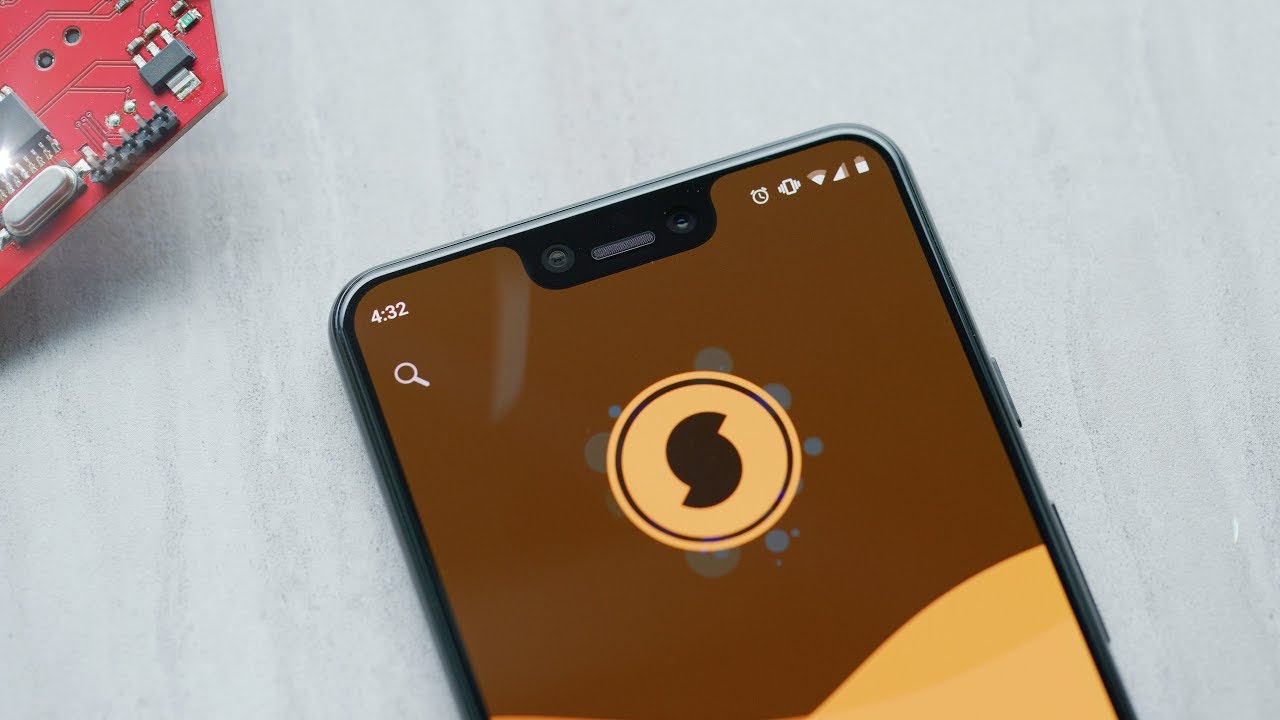
Exploring the Google Pixel 3 XL: Features and Performance
The Google Pixel 3 XL captures attention with its remarkable capabilities and sleek design. 🌟 As the flagship device from Google, it offers an exceptional user experience, especially for photography lovers and tech enthusiasts alike. What makes it stand out in a crowded smartphone market? Let’s delve into its unique features and stellar performance.
Camera Quality: A Leading Feature of Google Pixel 3 XL
One of the most captivating aspects of the Google Pixel 3 XL is its camera system. Equipped with a single 12MP rear camera, it utilizes advanced software to enhance images significantly:
- Night Sight: This feature allows users to capture stunning low-light photos with remarkable detail.
- Portrait Mode: The Pixel 3 XL’s portrait mode uses machine learning to keep subjects in focus while blurring backgrounds, emulating professional photography.
- Camera UI: The intuitive camera interface makes taking pictures effortless and includes features like Top Shot, which selects the best images from a burst of photos.
- Unlimited Storage: Users benefit from free unlimited online backup for their images at original quality on Google Photos.
Compared to competitors like the iPhone XS Max, the Google Pixel 3 XL excels in processing capabilities, allowing for sharper images and better dynamic range. This is especially evident in challenging lighting conditions.
Display: Immersive and Rich
The Google Pixel 3 XL sports a large 6.3-inch QHD+ display, showcasing vibrant colors and deep contrasts. With a resolution of 2960 x 1440 pixels, every image and video comes to life. Not only does this enhance viewing pleasure, but it also benefits productivity tasks:


- Multi-Tasking: The ample screen size makes it easier to run multiple apps simultaneously without compromising usability.
- Bluetooth Support: Connect your favorite devices for entertainment or productivity, enhancing the overall experience.
Performance: Speed Meets Usability
Powered by the Qualcomm Snapdragon 845 processor and backed by 4GB of RAM, the Google Pixel 3 XL handles demanding applications smoothly. Whether streaming content, gaming, or multitasking, users can expect:
- Fast Performance: Quick app launches and smooth transitions between applications make for a seamless experience.
- Battery Life: With a battery capacity of 3430mAh, the device lasts throughout the day under normal usage.
- Android Updates: As a Google device, it receives the latest Android updates promptly, ensuring users have access to the newest features and security enhancements.
Complementary Tools for Enhanced Experience
Utilizing the Google Pixel 3 XL’s strengths goes beyond just the device itself. By integrating complementary tools, users can amplify their experience. Here are some ideas on how to maximize the advantages of your Google Pixel 3 XL:
1. Google One
With the Google One subscription, you gain access to expanded cloud storage alongside benefits like family sharing and expert support. This enhances your use of Google Photos, ensuring that your images are safely backed up with additional space for files, documents, and videos.
2. Adobe Lightroom
- Professional Editing: Unlock advanced editing features to enhance your photos taken on the Pixel 3 XL.
- Raw Photo Support: Edit photos in their raw format for the highest level of detail.
- Presets: Utilize presets to instantly apply creative looks to your photos with just a tap.
- Cloud Sync: Seamlessly sync your edited photos across devices, meaning your work is always accessible.
By using Google Pixel 3 XL together with Adobe Lightroom, you achieve more efficient results in creating stunning professional-quality images.
3. Google Assistant
The built-in Google Assistant takes convenience to a new level. With voice commands, you can set reminders, manage your calendar, or control smart home devices—all hands-free.
4. Trello
For project management enthusiasts, integrating Trello with your Google Pixel 3 XL helps in organizing tasks efficiently. Visual boards and cards provide an overview of projects, ensuring you remain on track and productive.
5. Spotify
Music lovers can enhance their experience further by downloading Spotify. Seamlessly streaming your favorite tunes or podcasts directly from your Pixel 3 XL allows for a richer multimedia experience.
6. WhatsApp
Using WhatsApp for communication complements the Pixel 3 XL’s capabilities, enabling seamless messaging and video calling, all while using mobile data or Wi-Fi.
7. Google Maps
For navigation, the Google Maps app functions flawlessly on the Pixel 3 XL. Finding directions, local businesses, and traffic conditions can be handled easily, ensuring you never get lost.
8. Canva
- User-Friendly Interface: Create stunning graphics with a simple drag-and-drop feature, perfect for social media posts and more.
- Templates: Access thousands of templates to kickstart your designs swiftly, saving time and effort.
- Collaborative Features: Share your designs with friends or colleagues and collaborate in real-time.
- Mobile-Friendly: Utilize its mobile app to design on-the-go, directly from your Google Pixel 3 XL.
By leveraging Google Pixel 3 XL alongside Canva, you can create engaging content effortlessly, enhancing your creative endeavors.
9. Slack
For team collaboration, integrating Slack with your Google Pixel 3 XL improves communication and boosts productivity through channels and integrated tools.
10. Google Drive
Completing the array of complementary tools is Google Drive. This cloud storage solution is essential to keep important documents accessible from your Pixel 3 XL, facilitating easy sharing with colleagues and friends.
Final Thoughts on the Google Pixel 3 XL
The Google Pixel 3 XL serves as a remarkable device that combines hardware, software, and usability into a single package, perfect for users seeking an exceptional smartphone experience. 📱 By leveraging its features along with complementary tools like Adobe Lightroom for photo editing and Google Drive for file storage, you unlock the full potential of your device. Whether you’re a photographer, a tech enthusiast, or someone simply looking for a reliable smartphone, the Google Pixel 3 XL continues to impress, making it a go-to choice in the marketplace. What you’ll discover next might surprise you as you explore the full capabilities of this extraordinary device!
For more in-depth information on features, feel free to visit Wikipedia
Camera Capabilities of the Google Pixel 3 XL
The Google Pixel 3 XL is renowned for its exceptional camera capabilities, making it a top choice for photography enthusiasts. 📸 With a 12.2 MP rear camera, this smartphone captures stunning images characterized by vibrant colors and incredible detail. The advanced software processing enhances every shot, resulting in glorious photographs that stand out among competitors.
Unlike many smartphones in the same price range, the Google Pixel 3 XL offers impressive features such as Night Sight for low-light photography, allowing users to take remarkable photos even in challenging lighting conditions. By utilizing HDR+ technology, users can expect a dynamic range that greatly improves contrast and clarity.
Additionally, the front camera of 8 MP supports features like Portrait Mode, providing a beautiful bokeh effect for selfies. This feature highlights the subject while softening the background, which is essential for creating captivating portraits.
Advanced Camera Features
The camera of the Google Pixel 3 XL integrates several advanced features that enhance its usability and output:
- Night Sight: Perfect for capturing stunning nighttime shots without flash.
- Top Shot: Automatically selects the best photo from a burst of shots.
- Motion Auto Focus: Keeps moving subjects in focus for dynamic photography.
- Google Lens: Integrates with the camera to provide information about the objects in your photos.
Display and Design of the Google Pixel 3 XL
The Google Pixel 3 XL hosts a large 6.3-inch OLED display that offers vivid colors and deep blacks. This immersive experience is complemented by its sleek design, with a glass back that enhances aesthetics while enabling wireless charging. The resolution stands at 2960 x 1440 pixels, ensuring every photo and video appears crisp and lifelike.
Compared to other flagship models, the Pixel 3 XL’s display is particularly appealing due to its outside-source reflections and accessibility in different lighting conditions. Whether you’re watching movies or browsing social media, the display’s quality ensures a pleasurable viewing experience.
User Experience and Interface
The Google Pixel 3 XL runs on pure Android, providing a clean and intuitive interface. This simplicity enhances user experience, allowing for seamless navigation and interaction. Users benefit from timely updates and enhanced security features that come with Android’s ecosystem.
Battery Life and Performance
Performance-wise, the Google Pixel 3 XL is powered by the Qualcomm Snapdragon 845 processor, supported by 4GB of RAM. This combination allows for smooth multitasking and efficient app performance. Whether you’re streaming videos or using intensive applications, the Pixel 3 XL handles it all effortlessly.
Moreover, the 3,430 mAh battery ensures a decent battery life throughout the day. Compared to other smartphones, the battery efficiency of the Google Pixel 3 XL is commendable, often exceeding expectations during heavy usage.
Optimizing Battery Efficiency
To maximize battery life, consider using the YouTube app for streaming video content. Lowering screen brightness and using battery-saving modes can extend usage, allowing users to enjoy their device longer without needing a charge.
Complementary Tools to Enhance the Google Pixel 3 XL Experience
To get the most out of your Google Pixel 3 XL, consider pairing it with the following tools and applications:
- Google Photos: Automatically backs up your pictures and offers smart organization.
- Tasker: Automates tasks and customizes settings for specific scenarios.
- Adobe Lightroom: Elevates photo editing capabilities with advanced features.
- IFTTT: Simplifies automation between different applications and devices.
- Spotify: Seamlessly stream and manage your music from your Google Pixel 3 XL.
- Gmail: Enhance communication efficiency and priority management.
- Google Drive: Offers cloud storage and file sharing capabilities.
- Snapseed: A powerful photo editing app that offers professional-grade editing features.
- Evernote: Organizes notes and tasks effectively, integrating seamlessly with your workflow.
Using Snapseed with Google Pixel 3 XL
When you pair Snapseed with your Google Pixel 3 XL, your photo editing experience reaches new heights:
- Professional Editing Tools: Access a variety of filters and exposure adjustments.
- Selective Adjustments: Enhance parts of your image without affecting the whole.
- Easy Interface: User-friendly to ensure quick edits on the go.
- High-Quality Exporting: Retain image quality when sharing or saving edited pictures.
Using Google Drive with Google Pixel 3 XL
Google Drive adds a layer of convenience to your Pixel 3 XL usage:
- Cloud Storage: Free up space by storing photos and important files in the cloud.
- File Sharing: Easily share files with friends or colleagues directly from your device.
- Collaboration Features: Enhance productivity using shared documents and projects.
- Seamless Integration: Compatible with various Google services, making access easier.
Software and Updates
One significant advantage of the Google Pixel 3 XL is the timely software updates provided by Google. The device runs a pure version of Android, meaning you receive new features and security patches as they become available. This ensures not only the latest innovations but also enhanced security against emerging threats.
Contrasting with other brands, where updates may be delayed, the Google Pixel 3 XL offers peace of mind knowing that you are always updated and protected.
Multimedia Experience
The multimedia capabilities of the Google Pixel 3 XL are outstanding. The vibrant display coupled with stereo speakers enhances video playback, making it an excellent device for streaming content. Apps such as Netflix and YouTube function exceptionally well, offering a better viewing experience compared to many rivals.
Enhancing Content Consumption
By utilizing services like Netflix on your Google Pixel 3 XL, you will achieve more efficient results in enjoying high-quality entertainment. The combination of the Pixel’s stunning display and powerful audio output makes for an unmatched streaming experience.
Conclusion
The Google Pixel 3 XL stands out in the crowded smartphone market due to its impressive camera, pure Android experience, and timely updates. By combining it with a variety of complementary tools like Google Photos and Snapseed, users can unlock the full potential of their device. Each feature works harmoniously to provide valuable functionalities that enrich the overall user experience, making the Google Pixel 3 XL not just a phone, but a powerful tool for creativity and productivity.
The Ultimate Guide to Google Pixel 3 XL 📱
If you’re looking for a smartphone that seamlessly combines **style**, **features**, and **performance**, the Google Pixel 3 XL could be your ideal choice. This article will explore everything you need to know about this remarkable device, along with how to optimize its use with complementary tools.
Introduction to Google Pixel 3 XL
The Google Pixel 3 XL is one of the flagship smartphones from Google, launched in 2018. It features a gorgeous 6.3-inch OLED display and runs on a pure version of Android, ensuring you have access to the latest updates. Unlike some other smartphones that come with bloated software, the Pixel 3 XL stands out for its simplicity and user-friendly interface.
Key Features of Google Pixel 3 XL
Camera Capabilities
One of the most notable features of the Google Pixel 3 XL is its **camera technology**. It boasts a 12.2 MP rear camera, which captures stunning photos thanks to Google’s excellent software optimization. The Night Sight feature allows users to take vivid images in low-light environments, making it a favorite for photography enthusiasts.
Display Quality
With a high-resolution OLED display, content viewing on the Pixel 3 XL is nothing short of spectacular. Images are vibrant and colors pop, enhancing video playback and gaming experiences. Compared to previous models, the screen also offers improved brightness and contrast levels that stand out in different lighting conditions.
Performance and Memory
Powered by the Qualcomm Snapdragon 845 processor, the Pixel 3 XL provides snappy performance whether you’re browsing, gaming, or multitasking. With options for 64GB or 128GB of internal storage, the device also supports cloud storage, making it easy to manage files through platforms like Google Drive.
Battery Life and Performance
The battery life on the Google Pixel 3 XL is quite commendable, with a capacity of 3,430 mAh. Users can expect all-day performance on a single charge in typical use cases. It features fast charging capabilities, allowing you to power it up quickly when time is of the essence. If you’re frequently on the go, this is an advantage that makes it stand out compared to competing models.
Complementary Tools for Enhanced Use
To maximize your experience with the Google Pixel 3 XL, integrating complementary tools can enhance its functionality significantly. Here are some must-have apps and devices:
1. Google Photos
By using Google Photos as your primary photo storage tool, you can effortlessly manage your pictures and videos taken with the Pixel 3 XL. Google Photos offers cloud backup features and AI-driven organization, allowing for easy sorting and sharing.
2. Adobe Lightroom
When you want to take your photo editing skills to the next level, combining the Pixel 3 XL with Adobe Lightroom can unlock incredible creative potential.
- Professional-grade editing tools available on-the-go.
- A mobile-friendly user interface that complements the Pixel’s features.
- Advanced color correction and grading capabilities.
- Seamless synchronization with Adobe Cloud for cross-device accessibility.
3. Google Drive
Utilizing Google Drive for document storage allows you to secure and access important files from anywhere, keeping your smartphone decluttered.
4. Spotify
Enhance your music experience with Spotify. Enjoy high-quality streaming and offline playlists directly from your Pixel 3 XL.
5. Tasker
Automation is key for maximizing productivity. Using Tasker can help set up various scenarios that automate phone tasks, enhancing its functionality to suit your lifestyle.
6. Microsoft Office Suite
For those who require robust productivity tools, integrating Microsoft Office with your Pixel 3 XL allows for smooth document creation and editing.
7. Fitbit
If health tracking is essential to you, consider using a Fitbit device alongside your Pixel for dynamic health metrics and data analysis.
8. LastPass
Keeping your passwords secure is vital. Using LastPass for password management can offer ease of use while navigating various apps and websites.
- Secure password generation and storage for enhanced security.
- User-friendly interface that integrates seamlessly with your Pixel 3 XL.
- Easy access to passwords across devices without sacrificing security.
- Autofill capabilities that streamline your app and browser usage.
9. WhatsApp
To keep in touch with friends and family, WhatsApp offers a convenient instant messaging solution right on your Pixel 3 XL.
10. Google Assistant
Leverage the power of Google Assistant to manage tasks, control smart home devices, and fetch information hands-free, making your smartphone experience smoother and more integrated.
Conclusion
In the world of smartphones, the Google Pixel 3 XL is a standout choice for anyone seeking a device packed with features and supported by the best software experience available. From its impressive camera capabilities to seamless integration with various tools, it offers unparalleled value, enhancing your day-to-day tasks.
This device proves its worth when combined with complementary tools, enabling you to tailor your digital experience perfectly to your needs. Whether leveraging powerful photography apps or productivity suites, the Google Pixel 3 XL has you covered. What will you explore first? 🤔
The Ultimate Guide to Google Pixel 3 XL: Everything You Need to Know 🌟
When it comes to smartphones, the Google Pixel 3 XL stands out for its remarkable camera capabilities, clean software experience, and seamless integration with Google services. But what truly makes this device a favorite among tech enthusiasts and casual users alike? This comprehensive guide delves into every detail you need to know about the Google Pixel 3 XL, offering insights and practical advice on how to maximize its features. Let’s embark on this journey to explore what this smartphone has to offer!
Design and Display
The Google Pixel 3 XL features a sleek design with a glass back and a sturdy aluminum frame, giving it a premium feel. The device boasts a 6.3-inch AMOLED display with a resolution of 2960 x 1440 pixels, providing vibrant colors and deep blacks. This display is perfect for watching videos or browsing the web.
One of the key highlights of the Google Pixel 3 XL’s design is its notch display, which allows for a more immersive viewing experience. Compared to its predecessors, the broader screen enhances multitasking capabilities and content consumption.
Notable Design Features
- Water and Dust Resistance: The IP68 rating ensures that your device can withstand splashes and dust.
- Color Options: Available in Just Black, Clearly White, and Not Pink, catering to various style preferences.
- Ergonomic Design: The dimensions and weight are optimized for comfortable one-handed use.
Camera Capabilities
The Google Pixel 3 XL’s camera is one of its standout features, praised for its ability to take stunning images regardless of the lighting conditions. The rear camera is a 12.2 MP lens, paired with advanced computational photography capabilities that produce remarkable photos. Whether you’re capturing landscapes, portraits, or night scenes, the camera performs exceptionally well.
Unique Camera Features
- Night Sight: This feature allows you to take incredible low-light photos, making nighttime photography easy and fun.
- Portrait Mode: Achieve a professional look with blurred backgrounds, highlighting the subject effortlessly.
- Top Shot: Automatically selects the best image from a series of shots, ensuring you never miss a moment.
Unlike many competitors, the Google Pixel 3 XL excels with its software-driven enhancements, resulting in better image quality than hardware alone can provide. This incredible camera experience can be further elevated with tools such as Snapseed, a powerful photo-editing app that helps refine your photos even after they are taken.
Performance and Software
Powered by the Qualcomm Snapdragon 845 processor and 4GB of RAM, the Google Pixel 3 XL delivers impressive performance for multitasking and demanding applications. The stock Android experience is another significant advantage, as users enjoy timely updates and a clean interface free from bloatware.
With Google Assistant built into the device, getting information or performing tasks is seamless. You can use voice commands to check the weather, set reminders, or control smart home devices easily. By leveraging the integration with Google Assistant, you’ll make your daily tasks more efficient.
Key Software Features
- Monthly Security Updates: Stay protected with regular security patches directly from Google.
- Call Screening: An innovative feature that helps you avoid spam calls by screening unknown numbers.
- Pixel Launcher: Enjoy a simplified home screen setup with easy access to Google services.
Battery Life and Charging
The Google Pixel 3 XL houses a 3,430 mAh battery, which offers a full day of usage under regular conditions. The adaptive battery feature extends life by learning your habits and limiting power to less-used apps.
For charging, the device supports fast charging and comes with an 18W USB-C charger that can charge your phone quickly when needed. In addition, wireless charging capabilities provide convenience for those who prefer untethered charging. You can easily pair this with accessories like the Pixel Stand for a quick and stylish way to charge your phone.
Storage Options and Connectivity
The Google Pixel 3 XL comes with two storage variants: 64GB and 128GB. While it does not support microSD expansion, the integrated Google Photos service allows users to store images and videos in high quality without consuming local storage. This feature is particularly beneficial for those who enjoy taking a lot of photos with the exceptional camera.
When it comes to connectivity, the Pixel 3 XL supports Bluetooth 5.0, NFC, and Wi-Fi 802.11 a/b/g/n/ac, ensuring reliable connections with other devices and accessories. Additionally, the phone supports a Dual SIM feature (one physical SIM and one eSIM), which can be beneficial for travelers or those managing multiple lines.
Storage Solutions
- Google Photos: Automatically backs up your media, allowing you to access your photos from any device.
- Cloud Storage Services: Integrate with services like Dropbox for extra file storage.
- File Management Apps: Use apps like Files by Google to optimize storage and keep your device running smoothly.
Complementary Tools to Enhance Your Google Pixel 3 XL Experience
To maximize the benefits of your Google Pixel 3 XL, consider leveraging additional tools and services that complement its features. Below are some practical ideas on how to use these tools alongside your device:
1. Google Drive
Utilize Google Drive for cloud storage. With your Pixel 3 XL, you can directly save documents, photos, and videos, making them accessible on any device.
2. Snapseed
- Advanced Editing: Offers powerful editing tools that enhance clarity and exposure of your photos.
- User-Friendly Interface: Ideal for both beginners and experienced photographers.
- Filters and Effects: Hundreds of filters to add creativity to your images.
- Cloud Integration: Instantly save updated images back to Google Photos or share directly from the app.
3. Adobe Lightroom
Add a professional touch to your images with Adobe Lightroom. Its robust capabilities will allow you to edit images taken with your Google Pixel 3 XL seamlessly.
4. Google Keep
For organizing your thoughts and tasks, use Google Keep. It integrates perfectly with other Google apps, allowing quick note-taking on the go.
5. Spotify
Enhance your audio experience by streaming your favorite music on Spotify while enjoying the superior sound quality of the Pixel 3 XL.
6. Google Maps
Improving your navigation experience, pair your Pixel 3 XL with Google Maps for real-time traffic updates and directions, making commuting easier.
7. WhatsApp
Stay connected with friends and family using WhatsApp for messaging and calls—perfect for sharing photos captured on your Pixel 3 XL.
8. Microsoft Office
- Document Editing: Access and edit Microsoft Word documents easily from your mobile device.
- Spreadsheet Management: Create and manage Excel files wherever you go.
- Cloud Access: Seamlessly integrate with OneDrive for efficient file storage and sharing.
- Collaboration: Work in real-time with colleagues directly from your phone.
9. Duolingo
Expand your language skills on the go with Duolingo. The intuitive app complements the smart features of your Pixel 3 XL for an interactive learning experience.
10. Canva
Create stunning graphics and marketing materials using Canva. The user-friendly interface and design templates make it easy to produce professional-looking content directly from your phone.
Final Thoughts
Embracing your Google Pixel 3 XL is not just about having a powerful smartphone but also understanding how to leverage its features effectively. By integrating complementary tools and services, you can transform your experience, whether for productivity, creativity, or leisure. The Google Pixel 3 XL is designed to deliver exceptional performance with seamless interaction across various applications, providing an all-encompassing digital ecosystem.
Now that you have all the insights into the Google Pixel 3 XL, it’s time to unlock its full potential and enjoy the advanced features that make this smartphone a top choice. Whether you are a photography enthusiast or someone looking for a dependable daily device, the Google Pixel 3 XL ensures that your needs are met with sophistication and efficiency.
