Google Pixel 1: 5 Amazing Features You Didn’t Know About
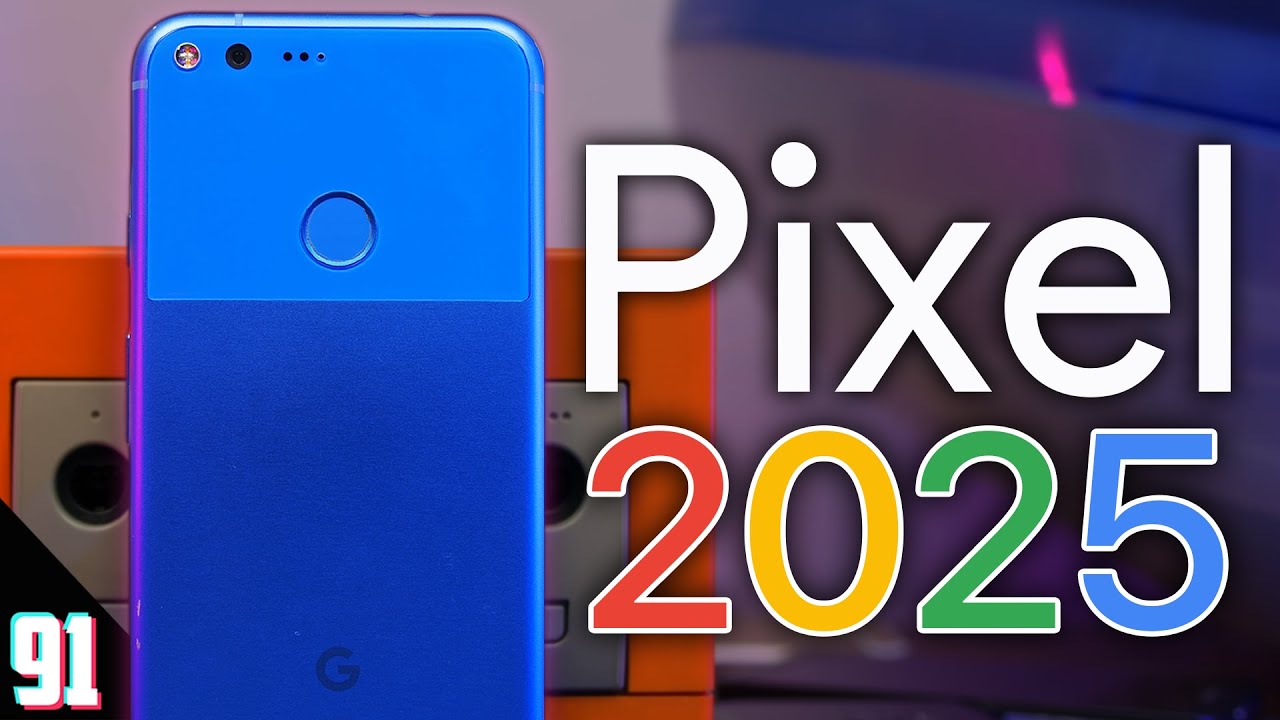
All About the Google Pixel 1
Smartphones have revolutionized how we communicate, work, and share our moments. One of the most impressive additions to this landscape is the Google Pixel 1 📸. Launched in 2016, this device set a new standard for mobile photography and ease of use, showcasing what Google could do when venturing beyond search engines.
Design and Display: A Blend of Simplicity and Elegance
The Google Pixel 1 features a sleek aluminum body mixed with a glass panel, giving it a distinctive and modern appearance. The 5-inch AMOLED display, boasting vibrant colors and sharp resolution, offers an immersive viewing experience. Users will appreciate the Full HD (1920 x 1080) resolution, which remains sharp for media consumption and daily tasks.
Ergonomics and Build Quality
Designed to fit comfortably in your hand, the Google Pixel 1 strikes a balance between size and usability. Its compact nature makes it easy to handle for extended periods, unlike larger models from competitors. The quality of materials used ensures that it feels premium and durable, providing confidence while using it day-to-day.
Camera: The Standout Feature of Google Pixel 1
The most talked-about aspect of the Google Pixel 1 is its camera capabilities. With a stunning 12.3 MP rear camera and an 8 MP front-facing camera, the device captures detailed and vibrant images. Google’s software optimization allows the Pixel camera to outperform many of its competitors in low-light conditions.


Notable Camera Features
- HDR+ Mode: Enhances photo quality by capturing multiple exposures and combining them for the best result.
- Smart Burst: Allows users to take a series of photos in quick succession and then choose the best one.
- Video Recording: Capable of recording in 4K at 30fps, ensuring high-quality videos.
- Photo Sphere: Creates immersive 360-degree images, ideal for capturing landscapes!
Performance: A Smooth Experience
Powered by a Qualcomm Snapdragon 821 processor with 4GB of RAM, the Google Pixel 1 provides responsive and seamless performance. It’s capable of handling multitasking without noticeable slowdowns. Users can engage in games, applications, and demanding tasks effortlessly.
Battery Life and Charging
With a 2770 mAh battery, the Pixel 1 offers sufficient power for a full day of use. Its fast charging feature ensures that you can quickly replenish battery levels, making it ideal for those on the go. The battery life may not be the highest compared to recent models, but it is still reliable for everyday use.
Operating System and Software Experience
Running on Android 7.1 Nougat upon release, the Google Pixel 1 provides an experience free from bloatware, presenting users with a clean and intuitive interface. The promise of timely updates from Google ensures that users can enjoy the latest Android features and security updates.
Exclusive Features
One of the significant advantages of owning a Google Pixel 1 is access to Google Assistant, a powerful AI-driven helper. Users can operate the device hands-free, enabling them to send messages, set reminders, and control smart home devices seamlessly.
Complementary Tools to Enhance Your Google Pixel 1 Experience
To maximize the utility of your Google Pixel 1, consider integrating the following tools into your daily routine. These options can significantly enhance the capabilities of your device and streamline your tasks.
1. Google Photos
By using Google Photos, you can back up your stunning camera shots automatically. This app offers advanced photo editing tools, easy sharing options, and free storage for high-quality images, making it the perfect companion for your Google Pixel 1.
2. Google Drive
Integrate your devices with Google Drive to store important documents, collaborate on projects, and access files from anywhere. It’s an excellent tool for enhancing productivity, especially when traveling.
- Seamless file sharing and collaboration.
- Access from multiple devices, including desktops and tablets.
- Integration with Google Workspace tools like Docs and Sheets.
- 15GB of free storage to begin with, expanding as needed.
3. Trello
Manage your tasks using Trello. This project management tool allows you to organize tasks, assign duties, and track progress efficiently. Its mobile app syncs perfectly with your Google Pixel 1 for on-the-go management.
4. Pocket
Save articles and web pages for later reading with Pocket. It’s a fantastic way to curate content and stay updated, enhancing your information consumption while on the run.
5. Slack
Collaborate with your team effectively using Slack. Coordinate projects, share files, and communicate in real-time, seamlessly integrating with the Google Pixel 1 for smooth communication.
6. Spotify
Stream your favorite music and podcasts using Spotify. With high-quality audio settings tailored for the Pixel 1, you will enjoy superior sound quality during your commutes or while relaxing.
7. Google Keep
Stay organized and never forget important tasks with Google Keep. Jot down quick notes, create to-do lists, and set reminders that sync across all your devices.
8. Adobe Lightroom
For photography enthusiasts, Adobe Lightroom provides advanced photo editing capabilities that enhance your Google Pixel 1 images. Here are a few benefits:
- Professional-grade editing tools to fine-tune your photos.
- Presets for quick adjustments and stylistic effects.
- Capability to sync edits across devices.
- Cloud storage options to backup and manage your library.
9. WhatsApp
Stay in touch with friends and family through WhatsApp. By using this messaging platform, you can send messages, share photos, and make calls as needed, giving you a full suite of communication options on your Pixel 1.
10. Zoom
Utilizing Zoom can enhance your experience by providing a reliable platform for video calls and meetings. Its compatibility with the Google Pixel 1 enables you to connect from anywhere, making remote collaboration a breeze.
Conclusion
The Google Pixel 1 is not just another smartphone. With its exceptional camera, smooth performance, and tight integration with Google’s ecosystem, it stands out as a top choice for tech-savvy users. By leveraging complementary tools like Google Photos and Adobe Lightroom, you can take full advantage of what the Google Pixel 1 has to offer, ensuring a comprehensive and enriching smartphone experience.
